TABLE OF CONTENTS
- What you receive
- Where to sign in — FCX Web (recommended starting point)
- Same credentials — other clients
- Change your password
- Cannot sign in?
- Next in this series
This article explains how you receive access and where to enter your credentials.
What you receive
Your company sends (by email and/or text):
| Item | Example | Used for |
|---|---|---|
| Company Code | TelecommInc | Selects your company’s Fieldclix instance |
| Login (username) | your assigned login | Identifies you |
| Password | temporary or permanent | Authentication |
Keep these private. If you did not receive them, ask your HR contact or system administrator—do not invent a Company Code.
First login tip: On Desktop, if no password was created yet, the password field may be left blank once; you can change the password after the first successful login. On Web and Mobile, follow the credentials your company sent.
Where to sign in — FCX Web (recommended starting point)
- Open a browser (Chrome, Edge, Firefox, etc.).
- Go to https://app.fieldclix.com.
- On the Sign In screen, enter:
- Company Code
- Login
- Password
- Click Sign In.
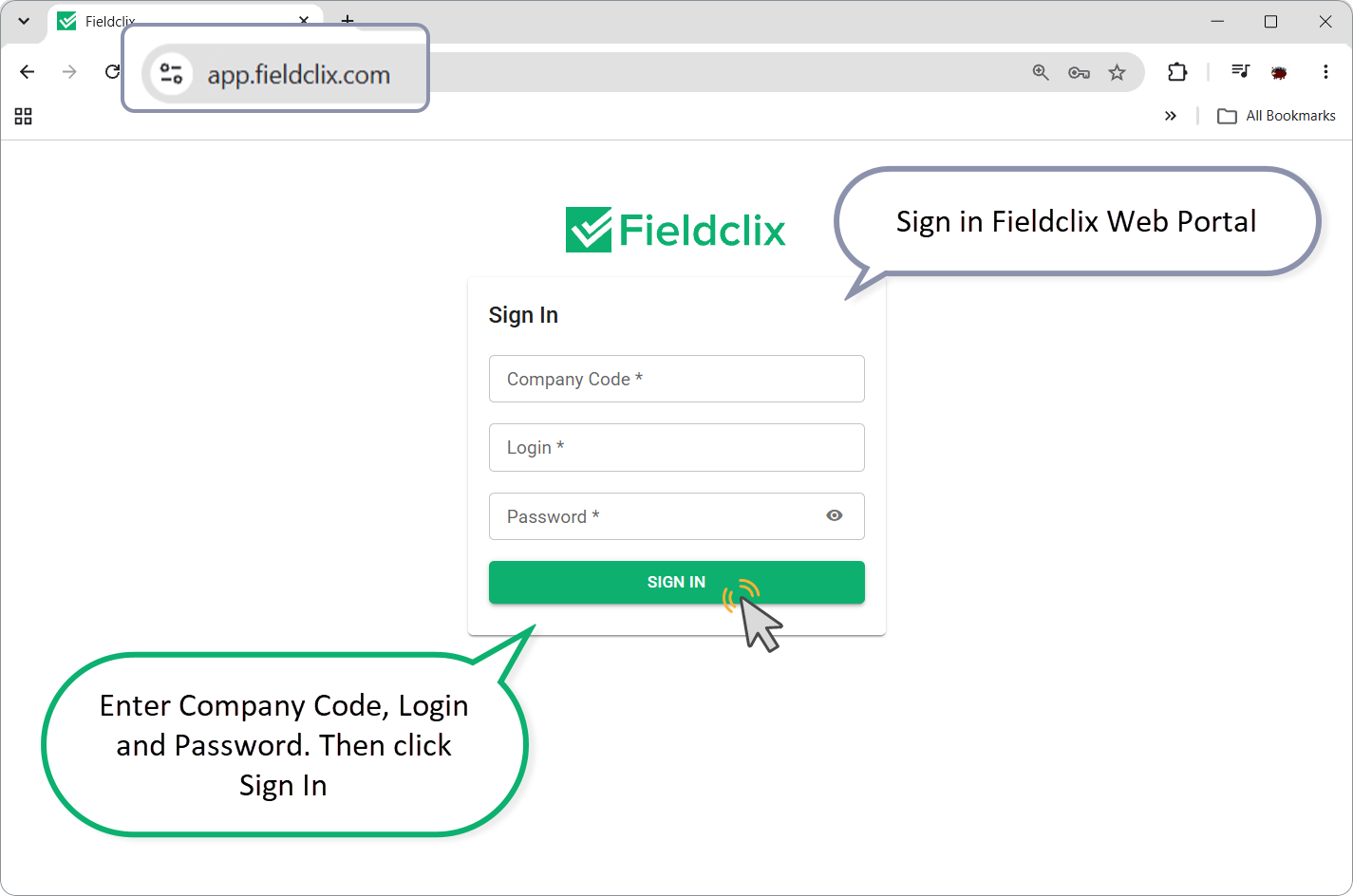
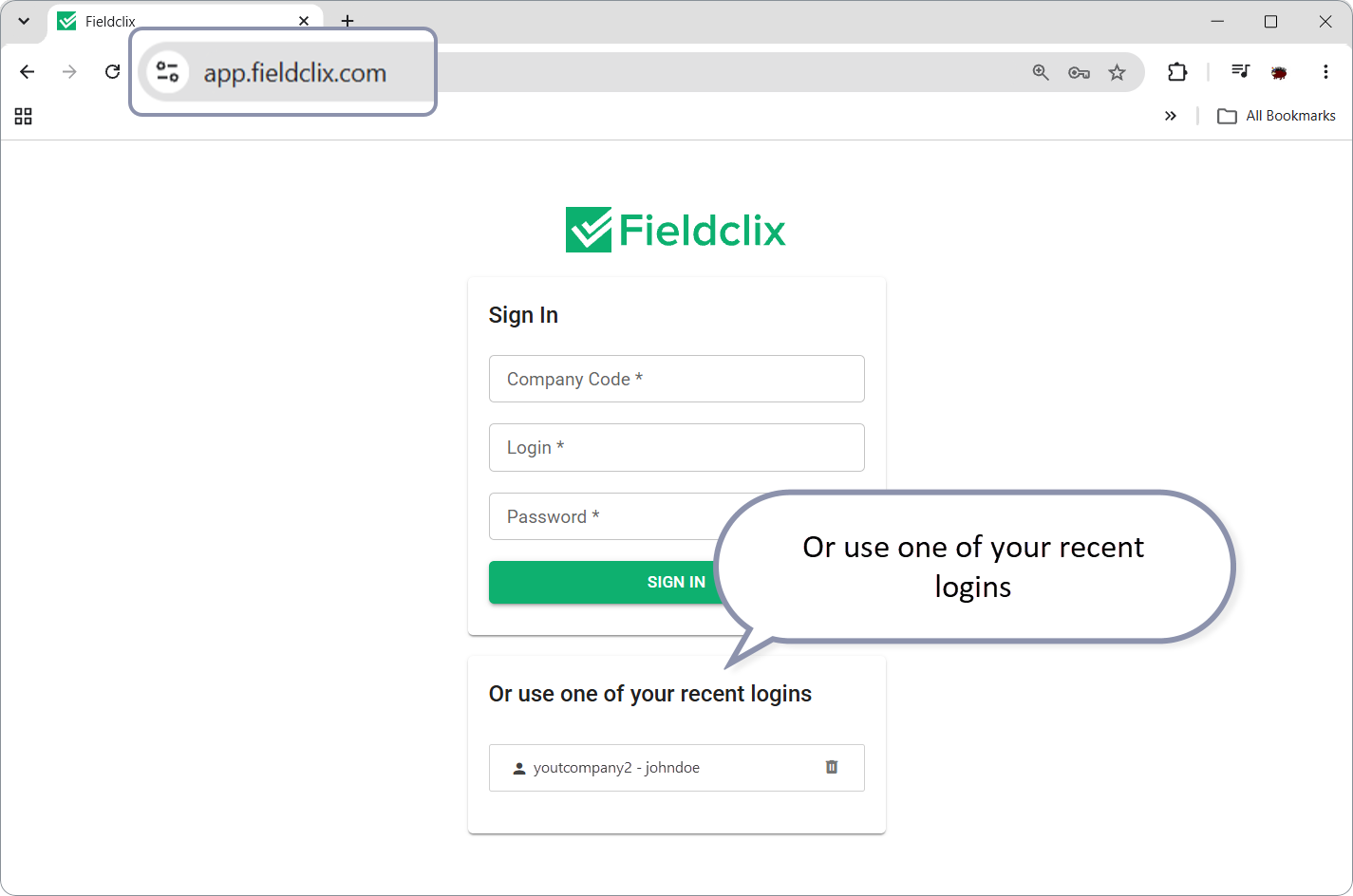
After a successful login you land on the dashboards home. If you have signed in before with more than one identity, you may first reuse a recent login from the list on the same page.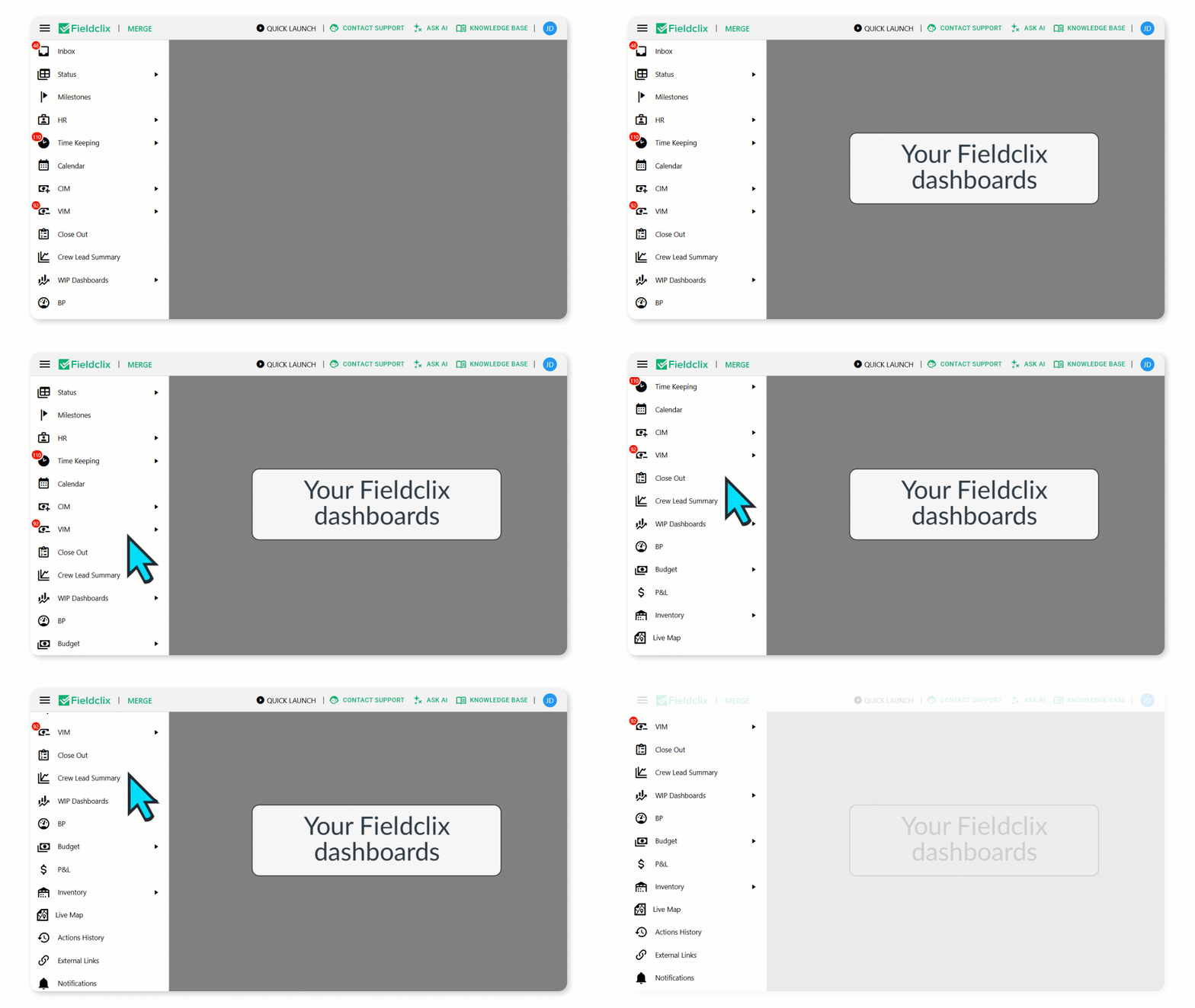
Related: Access Fieldclix Desktop via Integration with your Browser (same Web URL and credentials).
Same credentials — other clients
| Client | When | Credentials |
|---|---|---|
| FCX Web | Everyday office work | Company Code + Login + Password at app.fieldclix.com |
| Fieldclix (mobile) | Field time keeping, dispatches, warehouse, COD, assets | Same Company Code + Login + Password in the app |
| FCX Desktop | Desktop-only records / System Manager | Same Login + Password; Company Code is set during Desktop install / System Manager |
You use one set of credentials across Web, Mobile, and Desktop for your company instance.
Change your password
After you can sign in:
- Web or Mobile: Change Password: Fieldclix Web Portal and Mobile App
- In Web: open your initials (avatar, top right) → Change Password
Cannot sign in?
| Problem | What to check |
|---|---|
| Wrong Company Code | Confirm the exact code from HR/admin email (spelling matters) |
| Wrong login or password | Reset/change password with admin help; try Change Password if you are already in |
| Desktop login / missing server | Cannot Login, Missing Server Info in Login Prompt |
| Need VPN for Desktop | Fieldclix VPN Install |
Next in this series
Was this article helpful?
That’s Great!
Thank you for your feedback
Sorry! We couldn't be helpful
Thank you for your feedback
Feedback sent
We appreciate your effort and will try to fix the article