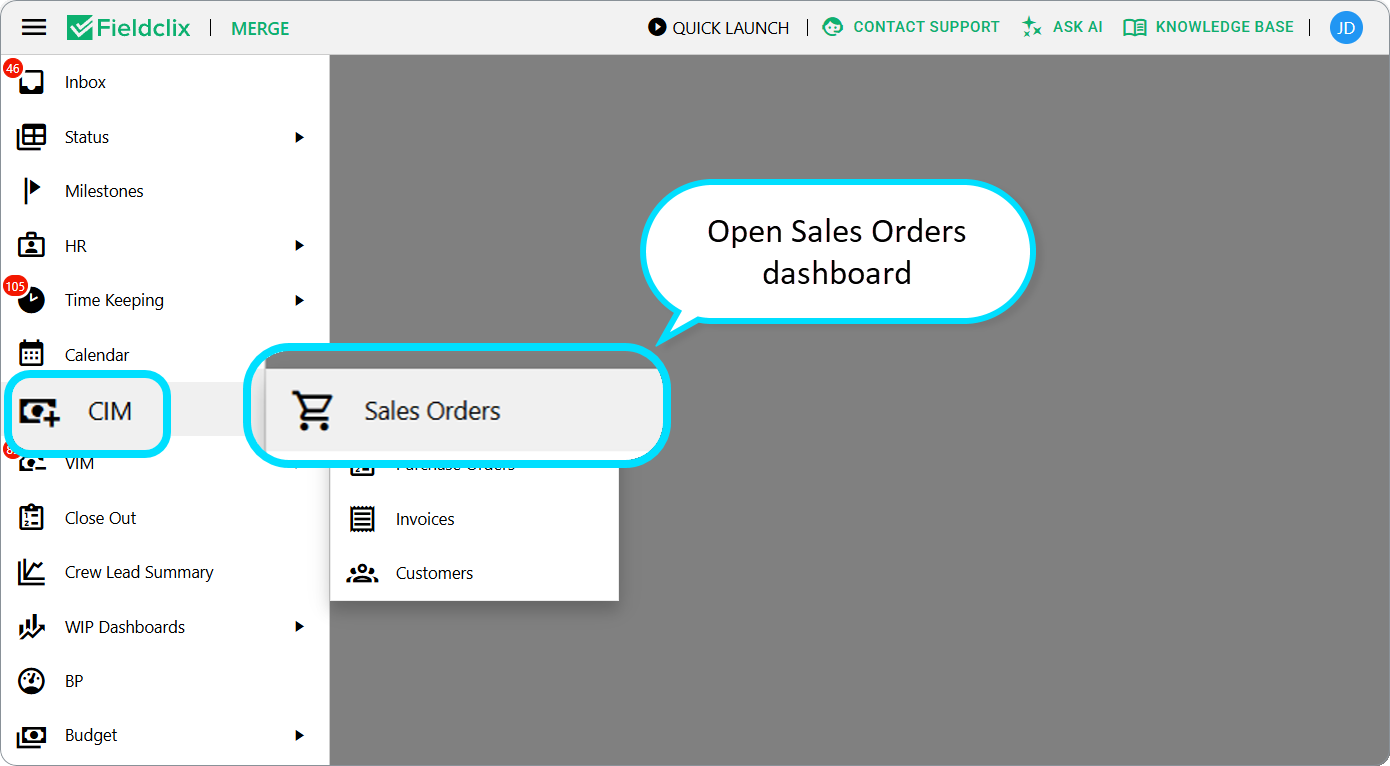
Browse all Client Sales Orders in one place:
- Sign in to the Fieldclix web portal.
- Side menu → CIM → Sales Orders.
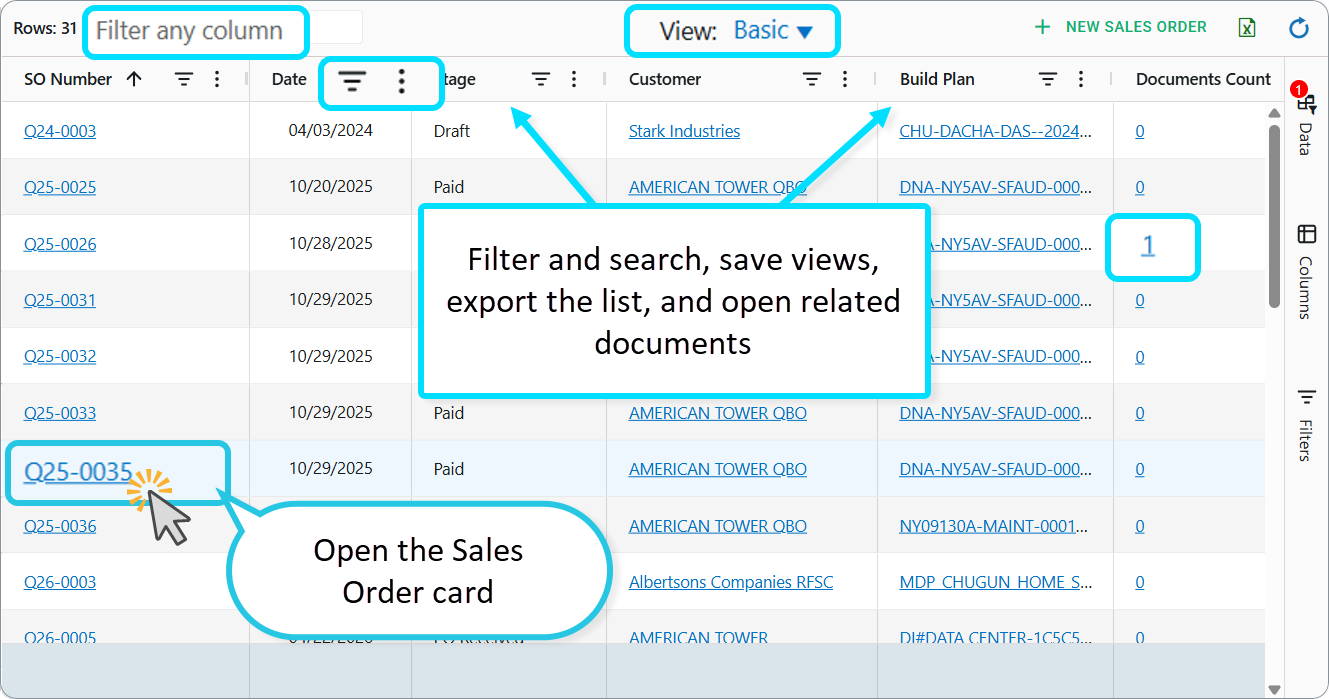
Use the dashboard to find Sales Orders across Build Plans, filter and search, save views, export the list, and open related documents. It answers “where are our Sales Orders?” without opening each Build Plan first.
Who can open it: employees with the Financial role.
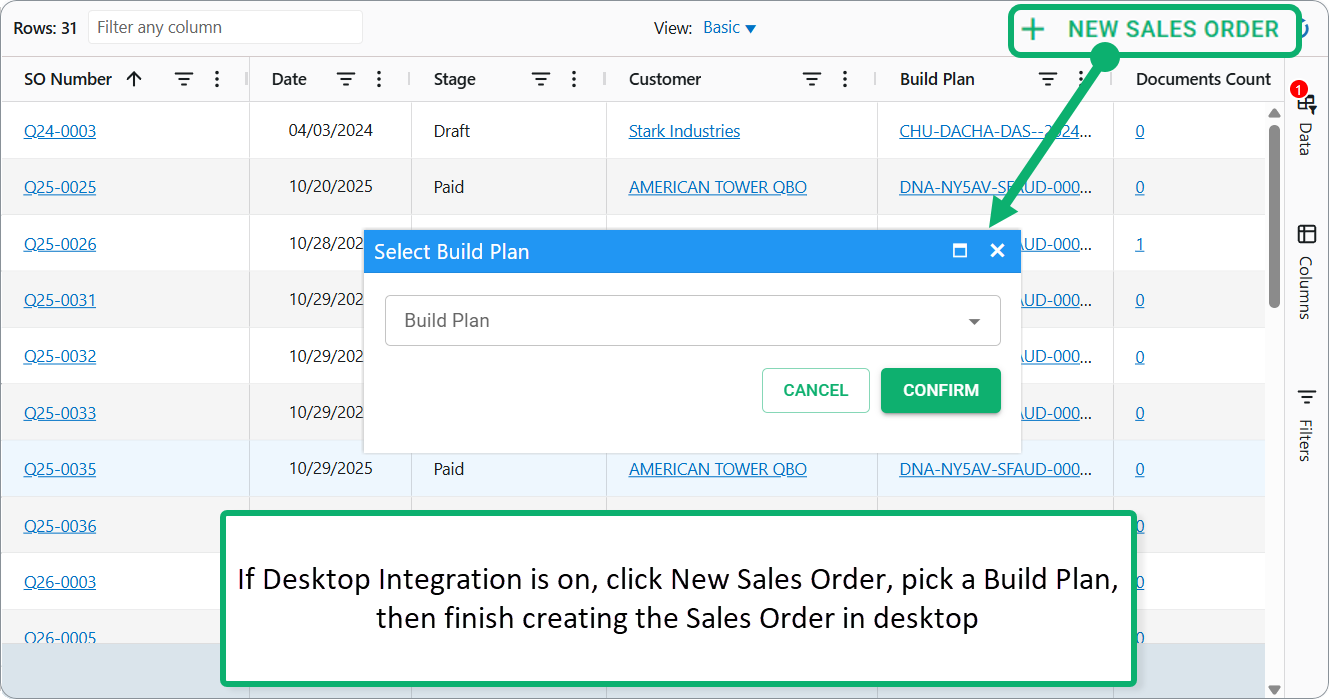
Create from the list: if Desktop Integration is on, click New Sales Order, pick a Build Plan, then finish creating the Sales Order in desktop. You can still create a Sales Order from the Build Plan CIM tab or from a Work Order, as described in the following article: How Do I Create an Initial Sales Order?
Also available: Desktop Quick Launch → Sales Orders; Build Plan → CIM tab → New Sales Order (one job at a time).
Was this article helpful?
That’s Great!
Thank you for your feedback
Sorry! We couldn't be helpful
Thank you for your feedback
Feedback sent
We appreciate your effort and will try to fix the article