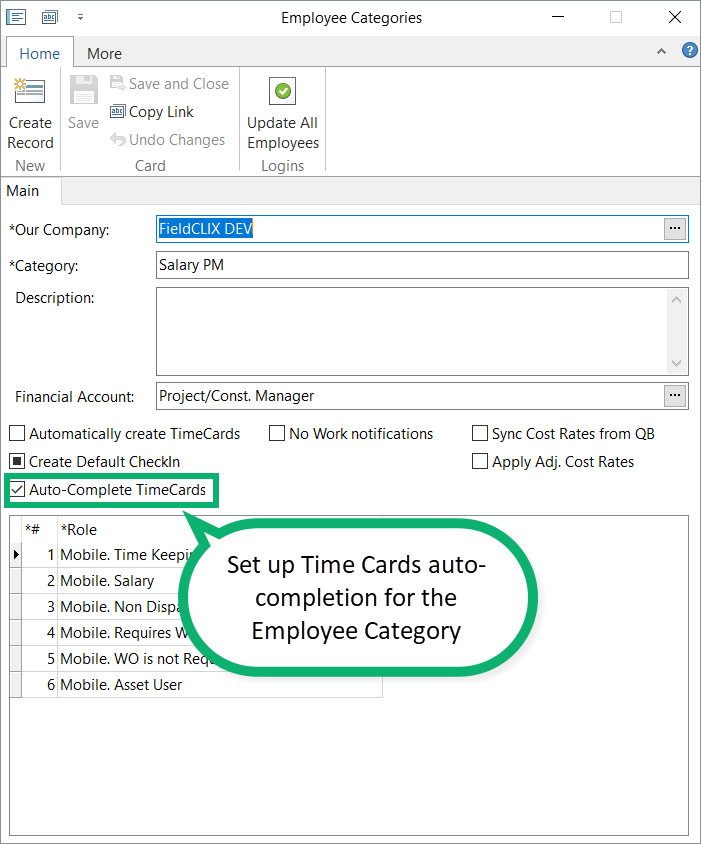
You can exclude Reviewers and Time Keeping Administrators from the Time Cards review process. To do this, specify the employee categories for which you want auto-completion to work.
In this case, during Time Keeping processing, the system will change the review stage to “completed” for Time Cards that meet certain requirements.
Rules for auto-completing a Time Card:
- The Time Card has not been completed yet.
- Approved hours are equal to the total original clocked hours. Applied lunch hours are not included in the approved hours calculation.
- All approved hours are allocated in the payroll table, with no missing Work Order or cost type.
- There are no audit results. Lunch deduction audit results are ignored.
- The Time Card does not have active TK requests, such as TAR or Time-off requests.
Time Cards with a reason and no clocked hours
A Time Card can also be auto-completed when:
- The Time Card has not been completed yet.
- Clocked hours equal 0.
- A reason is provided.
- The Time Card does not have active TK requests, such as TAR or Time-off requests.
When auto-completed Time Cards return to Pending
A Time Card returns to Pending in open payroll periods if any of the following happens:
- A Time Card allocation is updated. For example, a manual allocation that was previously pending is completed by the employee in the mobile app.
- A new TK request is created or submitted.
If an employee is allowed to edit data in closed or paid periods and makes changes to a Time Card, the Time Card does not return to Pending.
Was this article helpful?
That’s Great!
Thank you for your feedback
Sorry! We couldn't be helpful
Thank you for your feedback
Feedback sent
We appreciate your effort and will try to fix the article