TABLE OF CONTENTS
Overview
In Fieldclix, in general, its best to Generate a separate Build Plan for each Site job/project. This lets you take full advantage of our Job Costing features.
However, some types of projects have large numbers of Sites with short turnarounds and small budgets, like is often seen in maintenance contracts, survey work, trouble-ticket response, etc. For these small projects, the regular BP Generation process may be too time-consuming.
Similarly, on some projects, a field crew needs to be somewhat "self-directed," choosing which Sites to visit on a given day without waiting for a PM to dispatch them.
To solve both these problems, you can use a "Carrier Group" of Sites.
2 Versions of This Solution
There are 2 versions of the solution:
- Site-Specific WOs:
- 1 BP, but create a separate WO for each Site you dispatch-to
- Better if crews are NOT self-directed
- You can give the WO a ticket number, so this is better for troubleshooting projects
- Easier to track number of hours per Site
- Single WO for many Sites:
- Better if crews are self-directed
Slightly faster to dispatch - Inferior to Site-Specific WOs in most other ways
- Better if crews are self-directed
Site/BP Setup
Here's how to setup the Sites and BP:
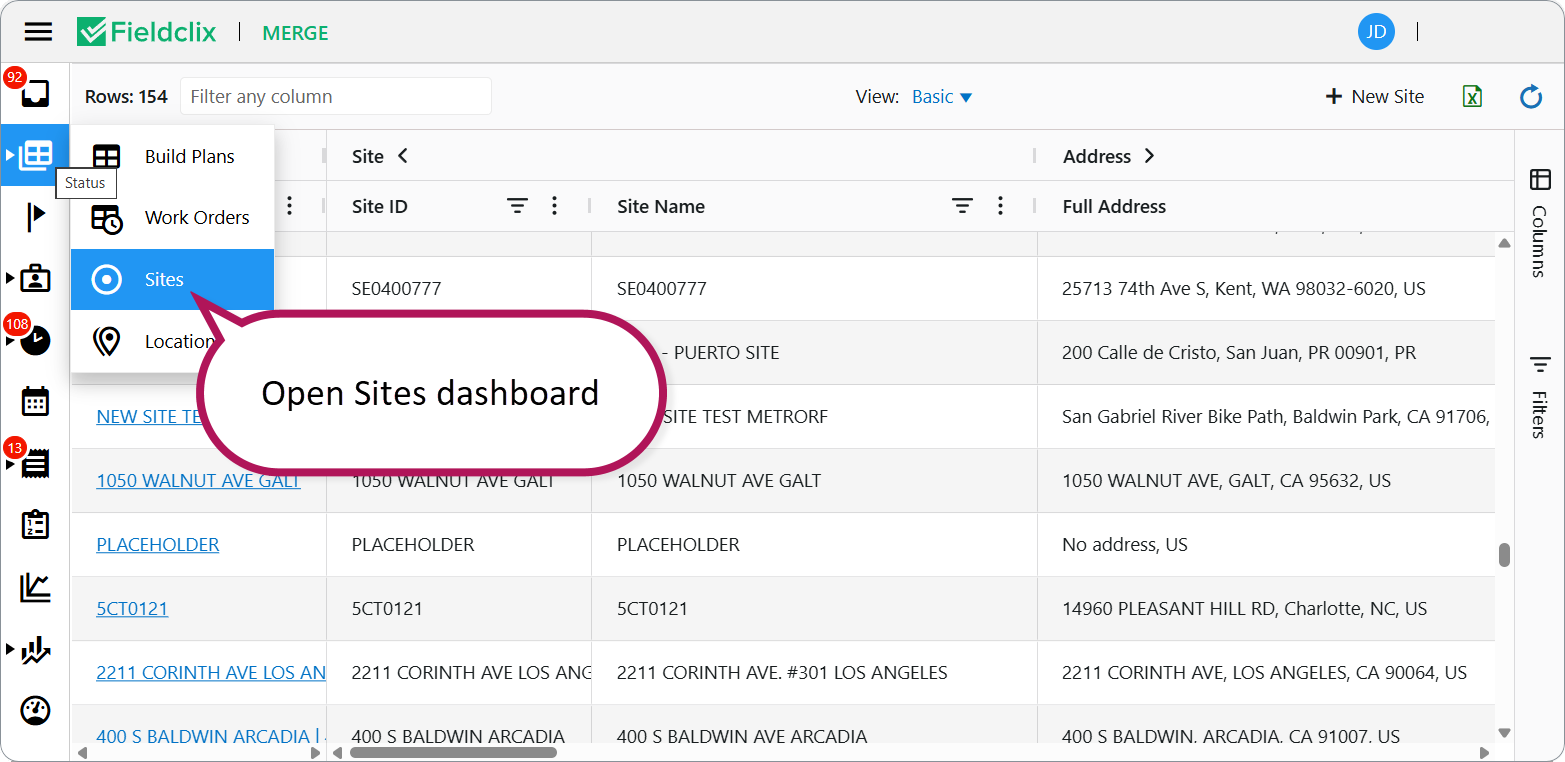
- Open FCX Web → Status group → Sites dashboard
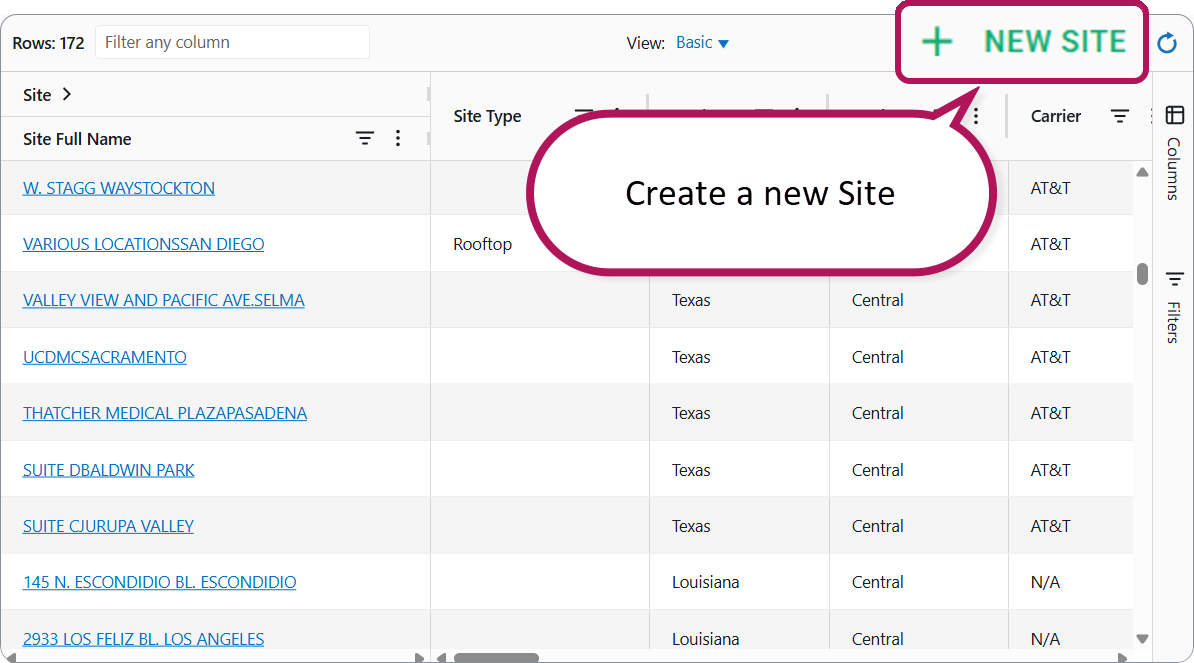
- Create a New Site
- Make this Site a Parent Site:
- This Parent Site represents the full set of Sites you want to treat as one Carrier Group.
- Unlike with normal Sites, it is OK if this Parent Site is job-specific.
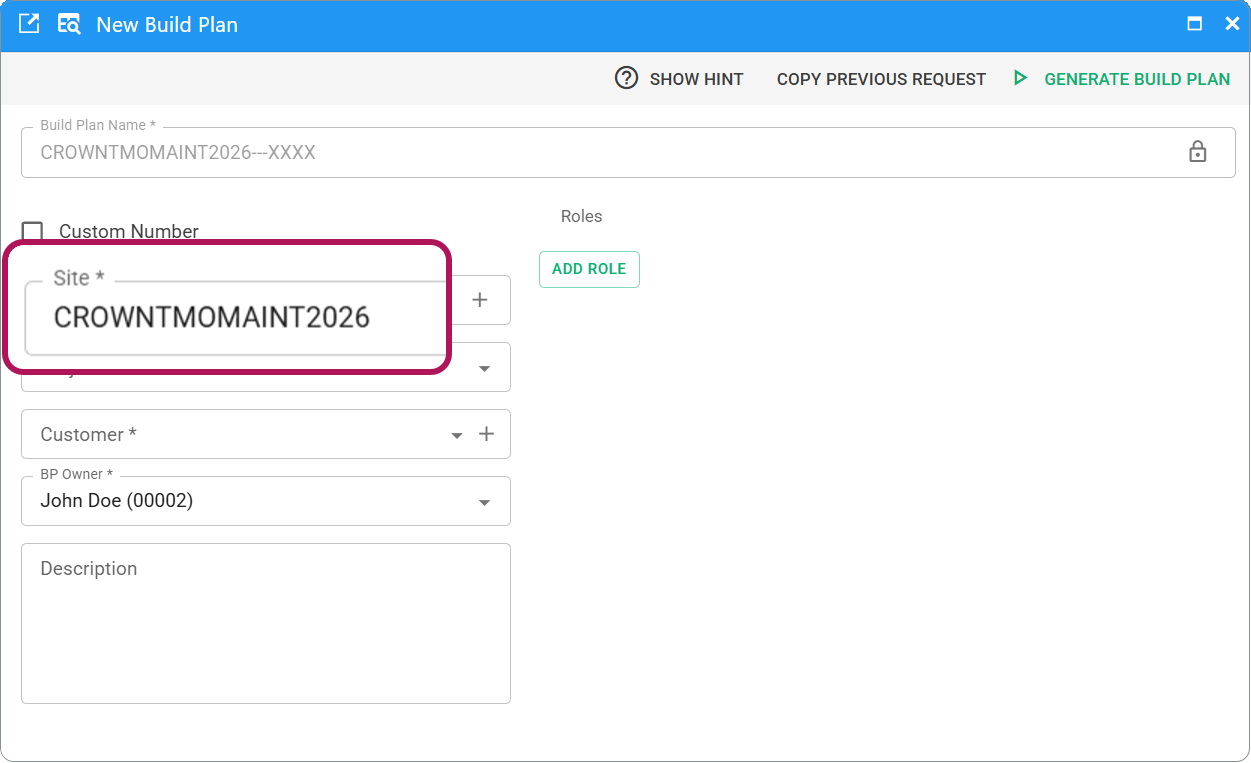
- The Site ID could be something like:
CrownTMOMaint2026. - You might create new Sites / Build Plans per year, per quarter, or per month if that works better for your finances.
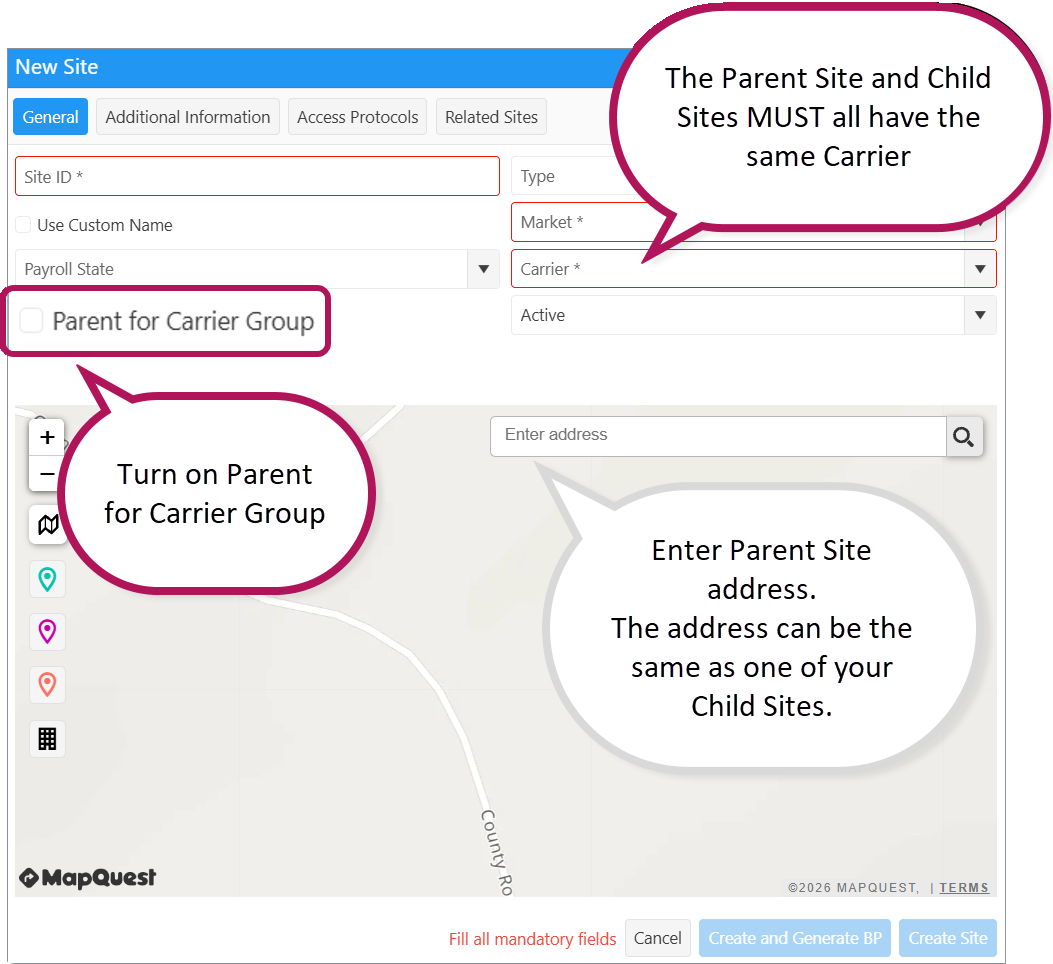
- The Parent Site and Child Sites MUST all have the same Carrier.
- On the Site card, turn on Parent for Carrier Group.
- Who can do this: users with the Project Library Manager role.
- Site Type (Monopole, Rooftop, and so on) is separate — you no longer use Site Type Carrier Group to define the parent.
- The address can be the same as one of your Child Sites.
Tip (web): On the Site card, Parent for Carrier Group sits under Payroll State. On the desktop Site card, the same checkbox appears next to Carrier.
- Generate a BP with the Parent Site as it's main Site
- Add all the Child Sites to FCX - Reach out to FCX Support if you need help importing a large number of Sites
- The Child Sites are now all available under the same BP because they're in the same Carrier Group!
WO Setup
There's 2 ways to setup the WOs, based on the 2 solutions above:
- Site-Specific WOs:
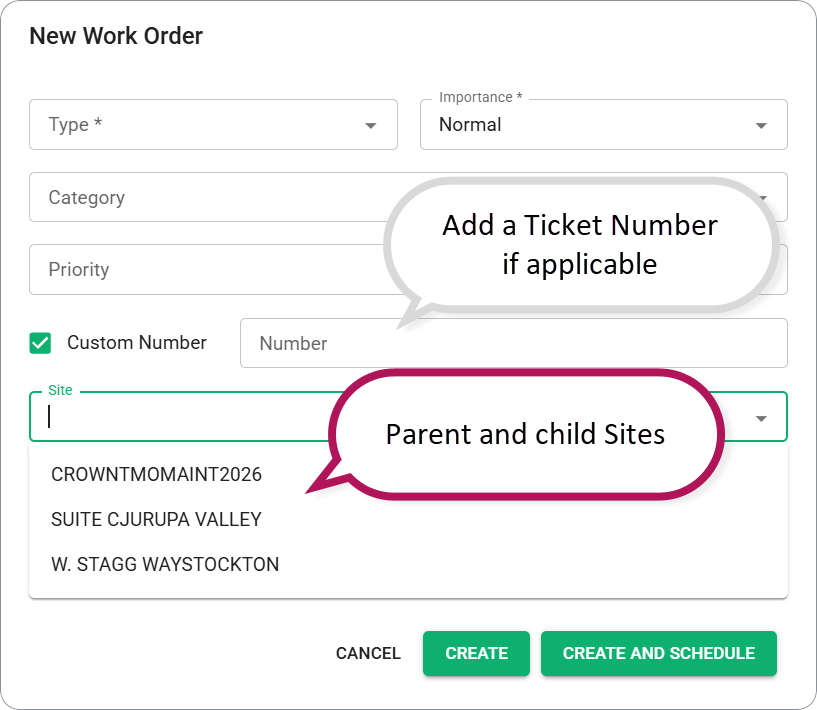
- For each Site you dispatch-to, use "New WO" to add a new WO to the BP
- Select the Site from the Carrier Group to which this WO will apply
- Add a Ticket Number if applicable
- Dispatch the new WO like normal
- You can see the accrued hours per WO in the Status Dashboard BP details > Work Orders tab
- Single WO for many Sites:
- In this scenario, you don't need to create additional WOs under the BP
- When you dispatch a crew to the regular WOs (which link to the Parent Site via the BP), the system will "watch" the geofences for EVERY Site in the Carrier Group for each deployment
- A crew can visit multiple Sites under a single WO and each visit will be counted as On-Site time against the BP
- You WON'T be able to easily see hours break-down per WO
Was this article helpful?
That’s Great!
Thank you for your feedback
Sorry! We couldn't be helpful
Thank you for your feedback
Feedback sent
We appreciate your effort and will try to fix the article