TABLE OF CONTENTS
Access to the Dashboard
Employees assigned to the Financial role have access to the Daily Status tab in the Build Plan card.
Daily Status Overview
The Daily Status shows you two parts: Daily Status on the left and Labor on the right.
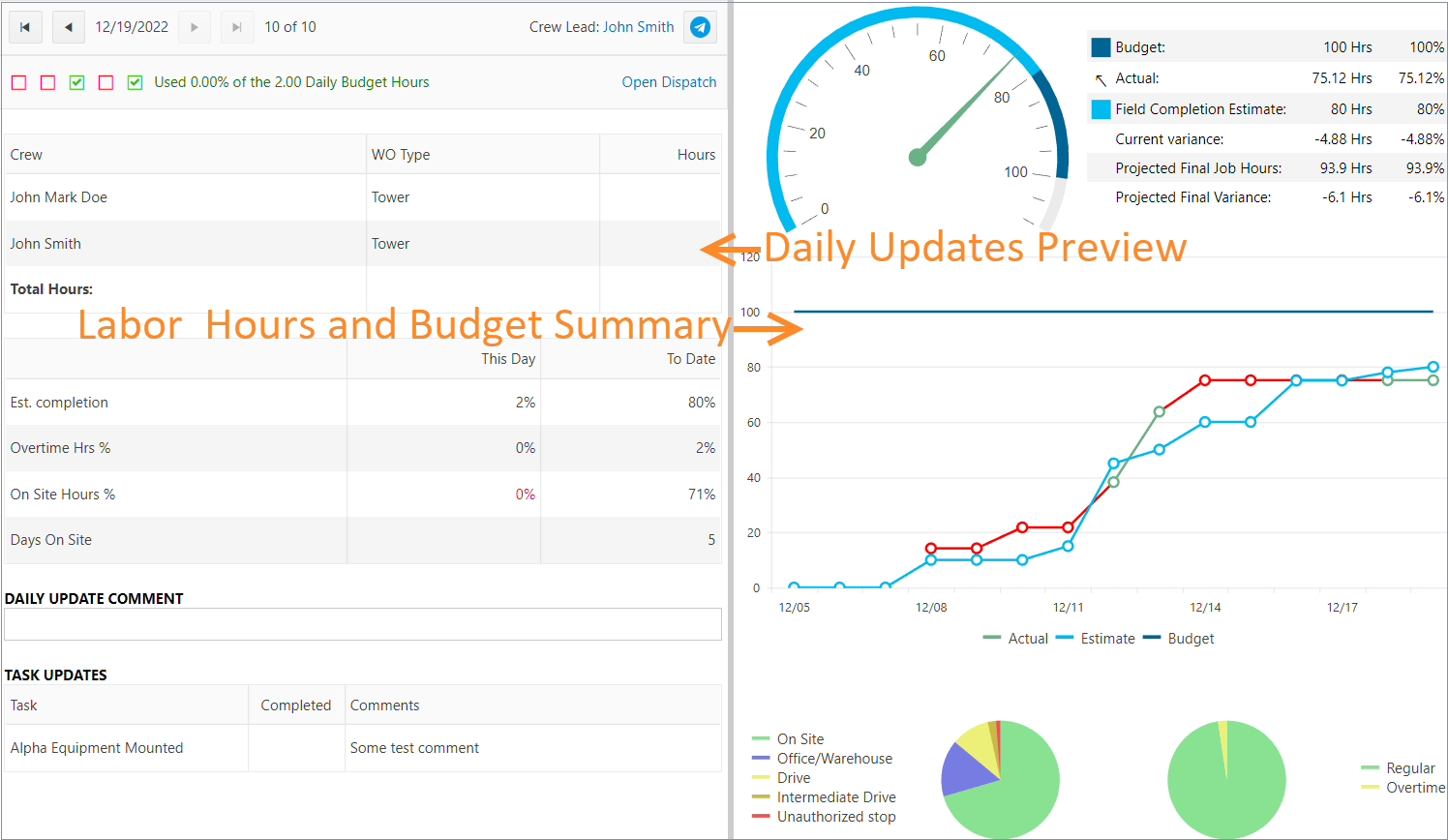
Daily Status
Daily Completion indicators
These indicators designate Daily Completion Progress of Build Plan:
- Daily Comments Done. We consider this as done, if there is Daily Comment on the selected day and Build Plan.
- On Site Hours % are more than Target %. This becomes green, if the percentage of On Site Hrs for the current Build Plan and day is more than Goal. Usually, Goal is 50% from all daily hours.
- Estimated Completion is more than 0%.
- Recurring Checklist Done. It is regarded as completed, if dispatched Employees completed the recurring checklist for the current Build Plan and day.
- Daily Labor Actual is less than Budget. Daily Labor Actual Hrs are the sum of Hours of all Employees for the current Build Plan.
Daily Budget = Budget Hours * This Date Est. PercentageWe use the following color coding for indicator checkboxes:
- Red checkboxes must be done.
- Green checkboxes mark completed indicators.
- Grey checkboxes are non-applicable for the current Build Plan.
Data Source
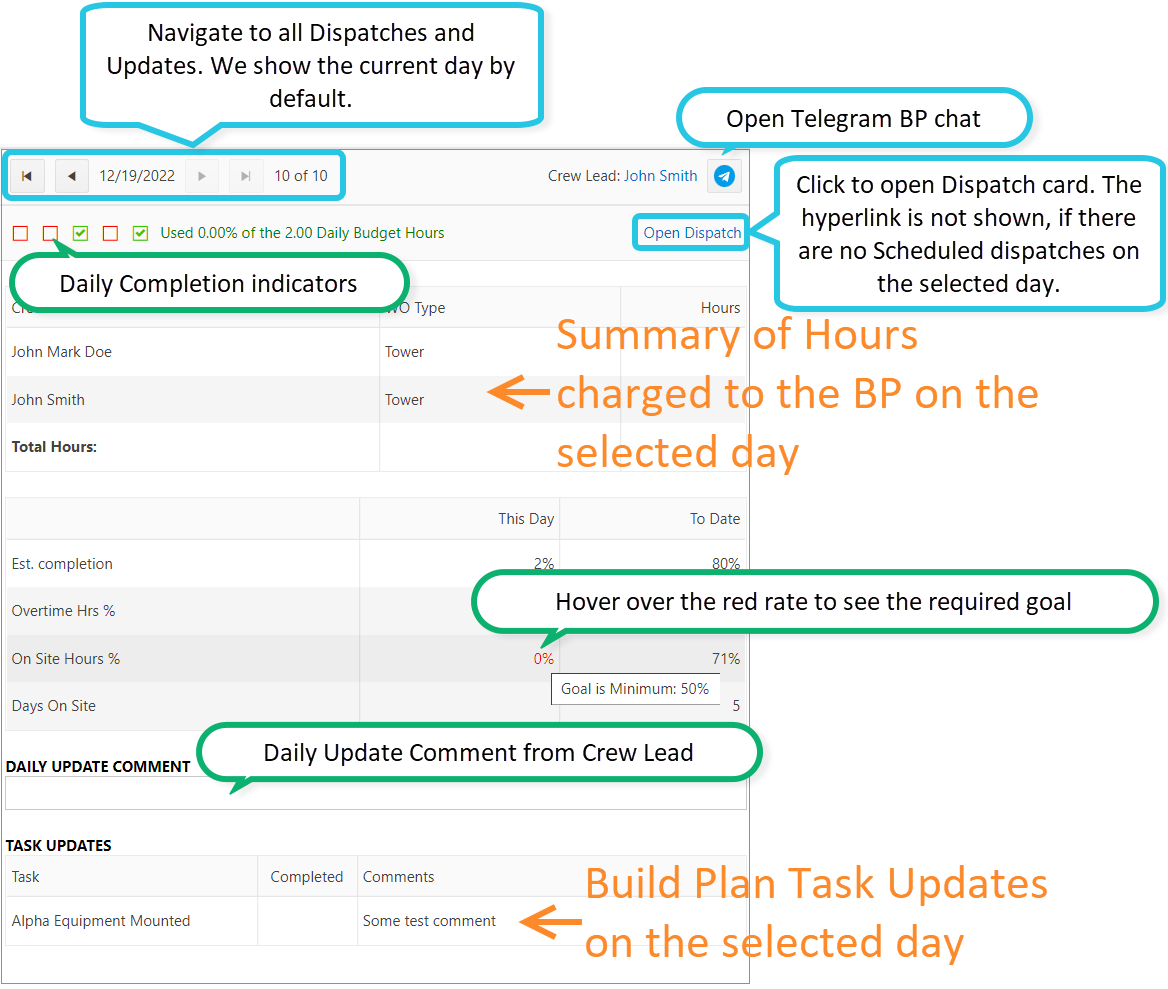
The Summary Hours' table shows daily clocked hours for each dispatched Crew Lead, grouped by Work Order Type. The source is Time Card's payroll allocation table.
Est. Completion — the Build Plan Progress percentage for this (selected day) or up to present time (To Date).
The source is Build Plan history. Each time an Employee changes the BP Progress % either in the mobile app, or through the BP card, we write in history this percentage and date of change. So when you switch to another day, it will show you the appropriate percentage of BP completion.
In the “To Date” column, data is summed over all days that have any activity (allocated hrs, tasks updates).
Overtime Hrs % — the ratio of the "Overtime" wage type hrs to total TC's hrs on the selected day.
On Site Hrs % — the ratio of the "On Site" Cost Type hrs to total TC's hrs on the selected day.
Days On Site — the number of Time Cards grouped by day which has On Site hrs.
Labor
Was this article helpful?
That’s Great!
Thank you for your feedback
Sorry! We couldn't be helpful
Thank you for your feedback
Feedback sent
We appreciate your effort and will try to fix the article