When you generate a Build Plan, the FCX system populates a default Profit Center from the "Calculation Specification" Reference.
You can set up and configure the calculation of the default Profit Center.
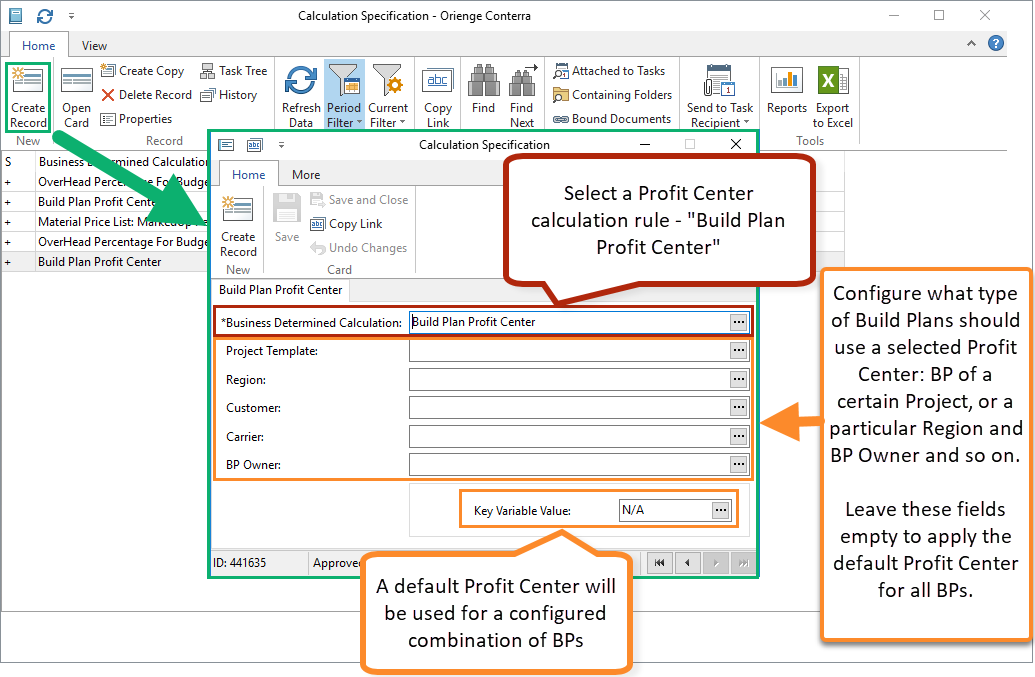
Open "Calculation Specification" Reference. Specify Profit Center for all Build Plans or breaking down by Build Plan characteristic.
Or open the required Profit Center card and click to "BP Profit Center Calculation" button to view the existing calculations and create a new one for the selected Profit Center.
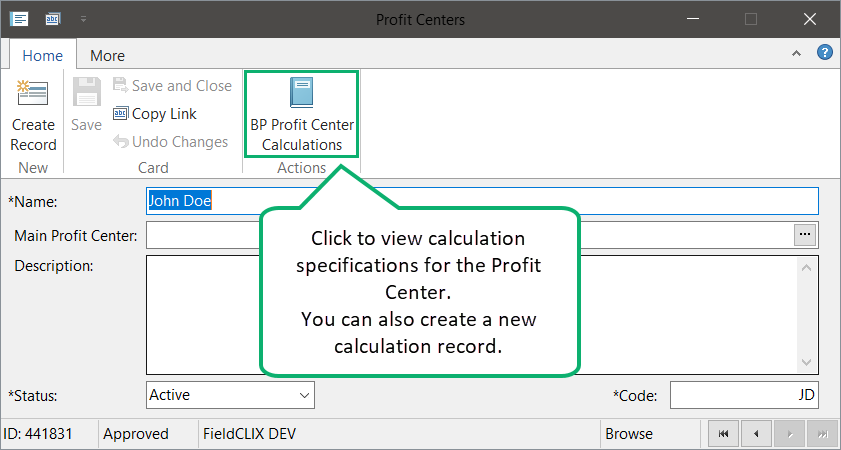
Don't forget to create a Profit Center calculation with an empty Build Plan dividing, if there is no existing one.Employees assigned to “Project Library Managers” role have full access to the reference: create a new record, edit, or delete.
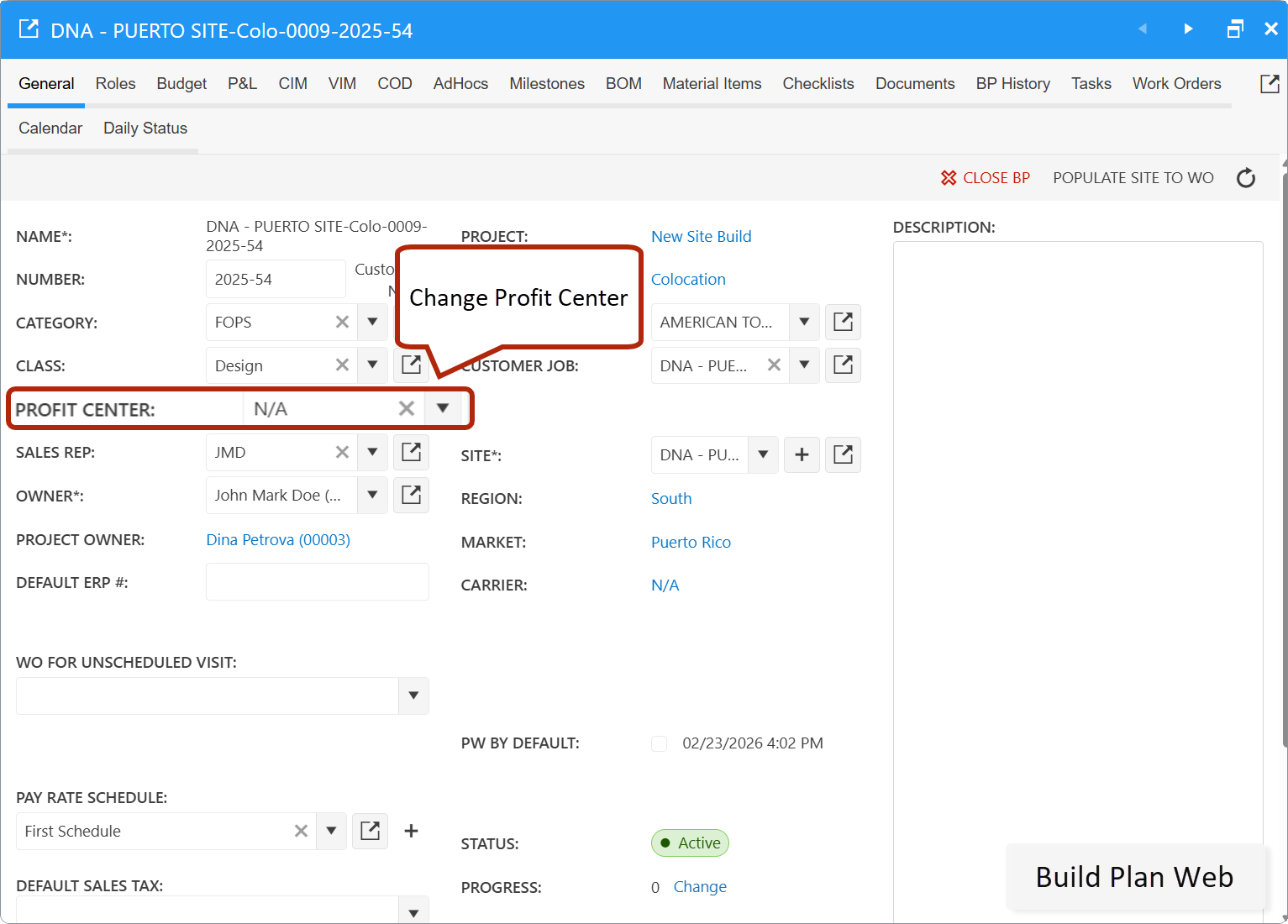
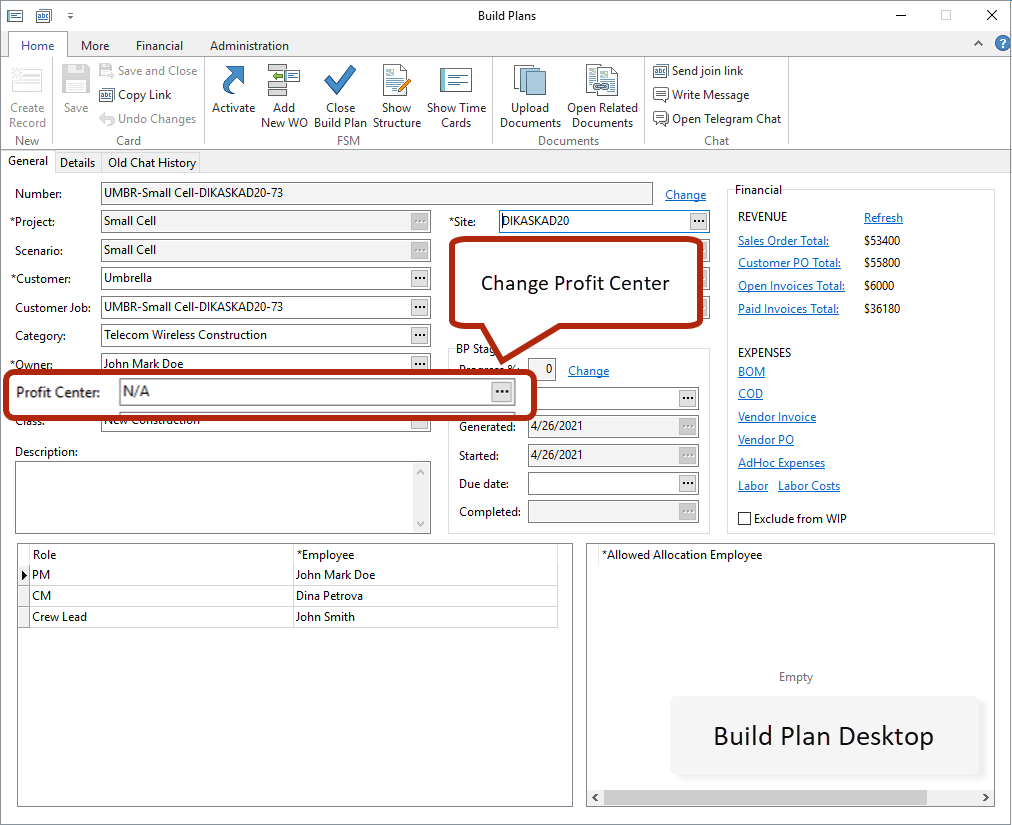
A Project Owner can edit Profit Center in a Build Plan card. Please note that if you clear a custom Profit Center in a Build Plan, it will be replaced by the default one on record saving.
Was this article helpful?
That’s Great!
Thank you for your feedback
Sorry! We couldn't be helpful
Thank you for your feedback
Feedback sent
We appreciate your effort and will try to fix the article